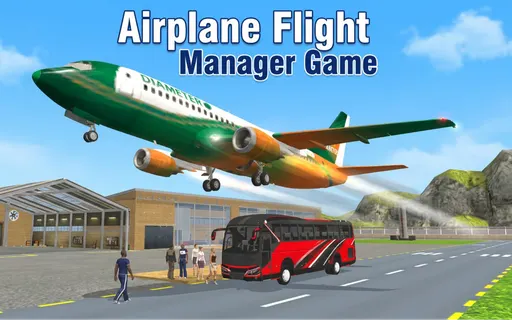
About Airplane Flight Manager
Airplane Flight Manager is a 3D flight simulator game that puts you in the pilot's seat for point-to-point trips. Every mission follows the same basic shape: leave the runway at one airport, steer through open sky and bring the plane down safely somewhere else. The handling is kept simple, so the challenge comes from holding your route and landing cleanly rather than from learning complicated cockpit panels. It suits anyone who wants a relaxed simulation game with pleasant views, no download and short missions to pick up at any time.
How to play Airplane Flight Manager
Choose a mission and start on the ground at the departure airport. Use the movement keys to push forward, ease back and turn left or right as you climb through the clouds. Keep heading toward the destination airport, then line up with the runway and touch down safely to finish the mission. Each flight is a fresh trip across the open map, so the scenery changes as you go. A safe landing at the far airport is what completes the run, so take the final approach slowly and steadily.
Airplane Flight Manager features
- Takeoff and landing missions between airports.
- Open skies to fly through, with clouds and scenic views.
- Simple keyboard steering instead of complex cockpit controls.
- 3D graphics in a landscape view.
- Free, with no in-game purchases.
Airplane Flight Manager controls
- Computer: W or the Up arrow pushes forward, S or Down eases back, and A/D or the Left/Right arrows steer; the mouse clicks menu buttons.
- Phone / tablet: Use the on-screen controls and keep the device in landscape.
More games like Airplane Flight Manager
Browse more simulation games and 3d games on BestGameSpot, or Break the Egg and Run Away, Hustle & Drift in ZIL and Kalulu Tanhulu: ASMR Mukbang next.
Airplane Flight Manager FAQ
What do you do in Airplane Flight Manager?
You complete missions that start at one airport and end at another. The job is to get airborne, cross the sky and land the plane in one piece at your destination.
Is it a realistic flight simulator?
It leans toward easy and approachable. Steering uses four direction keys, so it plays more like a casual flying game than a full cockpit trainer, which makes it a friendly first step into flight sims.
Which keys fly the plane?
Press W or the Up arrow to go forward and S or Down to pull back. A and D, or Left and Right, turn the aircraft. Menus and buttons respond to mouse clicks.
Can I fly on a phone?
Yes, Android and iPhone are both supported. Turn the screen sideways, because the game only runs in landscape, and use the touch controls on screen to steer the aircraft.