About Mine - Survival & Creative
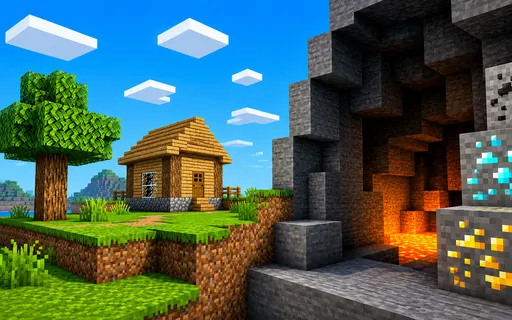
Mine - Survival & Creative is a block-building survival simulator game with two ways to play. In Survival you scrape together resources, keep a farm going and make it through the night; in Creative you can fly and build whatever comes to mind without limits. On top of that sit 20 extra maps for parkour and adventure, plus a skin editor and a coloring mini-game. It is a free online 3D game that runs in your browser, and your world saves by itself on both desktop and mobile.
How to play Mine - Survival & Creative
In Survival, chop wood and dig stone, set up a crafting table, then make tools and torches. Plant crops, look after animals and their young, mine for ores and build a safe shelter before darkness arrives. Creative removes the struggle so you can focus on construction. For a set challenge, open Maps from the main menu and try to reach the end of a parkour or adventure course, such as the sky parkour, a skyblock or a spiral climb through biomes.
Mine - Survival & Creative features
- Survival and Creative modes, with flying in Creative.
- 20 parkour and adventure maps, including a magic school, big city, amusement park and village.
- Over 60 skins and a skin editor, plus a pixel coloring mini-game.
- Bow, minecarts, minimap, third-person view and optional real-time shadows.
- Automatic saving; optional in-game purchases.
Mine - Survival & Creative controls
- Computer: Walk on WASD or the arrow keys and hop with Space; Shift sneaks. Left click mines, right click places, E is the inventory, V flips the camera and F starts flying in Creative.
- Phone / tablet: Left stick to move, swipe to look and buttons on the right to jump, act and open the inventory. Landscape only.
More games like Mine - Survival & Creative
Browse more simulation games and 3d games on BestGameSpot, or Cake Maker, Night Lake: Monster Fishing and Field Master next.
Mine - Survival & Creative FAQ
Does Mine - Survival & Creative save my world?
Yes. Progress is stored automatically, whether you build on a computer or on a phone, which means a closed tab never costs you a half-built house.
How do I fly?
Flying is only in Creative. On a keyboard press F or tap Space twice quickly to take off.
Where are the parkour maps?
Open Maps in the main menu. The 20 courses range from a giant spiral through biomes to a sky route, and the aim on each is to reach the finish.
Can I make my own skin?
Yes. Besides more than 60 ready-made characters, the main menu has a skin editor for designing your own look.
How do I turn on shaders?
Shaders live in the pause menu. Switching them on adds real-time shadows, which look great but may run slower on older devices.