About Pixel Number
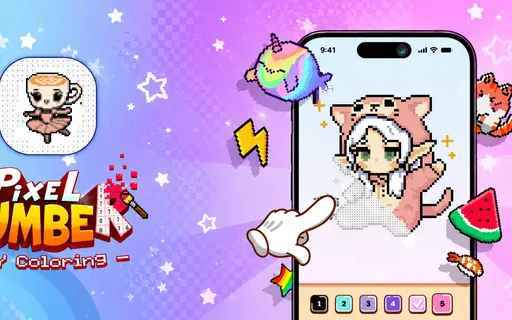
Pixel Number is a coloring game built on the color by number idea, using pixel art instead of line drawings. Every picture starts as a grid of gray squares, each marked with a number that ties it to a shade in the palette. Paint each square and an animal, a piece of fruit or a holiday scene slowly appears. There are more than 170 artworks to work through, so another one is always waiting. It is a calm, unhurried pastime for anyone after a peaceful creative break, and every picture is free online, with no download before you start painting.
How to play Pixel Number
Select a shade and every square waiting for it is highlighted. Click or drag across them to paint; only squares with the matching number accept the color, so stray strokes do no harm. Zoom in for small details and move around the picture to find spots you missed. The image is complete once every numbered pixel is colored. Finished pictures reward coins, and quests, events and a daily wheel spin hand out extra boosters.
Pixel Number features
- 170+ pixel artworks, including animals, fruit and festive scenes.
- A Hint booster that tracks down a missing pixel.
- A Fill booster that paints every square of one color at once.
- A Boom booster that colors a whole area.
- Backgrounds, frames and stickers for finished art, plus a replay of your painting.
- Daily quests, events and a lucky wheel; no in-game purchases.
Pixel Number controls
- Computer: Click or drag to paint, scroll the mouse wheel to zoom, and hold the right button while dragging to pan.
- Phone / tablet: Tap or slide a finger over pixels to paint them; the canvas is laid out for portrait.
More games like Pixel Number
Browse more coloring games and puzzle games on BestGameSpot, or Jewel Coloring: Crystal Sorting, World Flags: Color Puzzle and Diamond Painting by Number next.
Pixel Number FAQ
How many pictures are in Pixel Number?
More than 170 pixel artworks are included, ranging from cute animals and fruit to seasonal and holiday scenes, so you can pick a subject that matches your mood.
Can I make mistakes while painting?
Not really. A pixel only takes a color if its number matches the shade you selected, so you can drag freely across the grid without spoiling the picture.
What do the Hint, Fill and Boom boosters do?
Hint points you to a pixel you have not painted yet, Fill completes every square of the chosen shade, and Boom colors a full section of the image in one go.
How do you earn more boosters in Pixel Number?
Finishing pictures gives coins, and daily quests, events and a once-a-day wheel spin add extra boosters. Everything in this coloring online game is free, with no purchases at all.