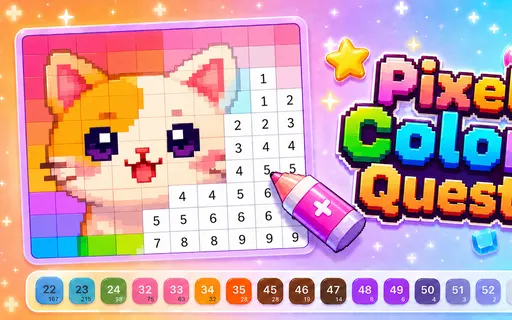
About Pixel Color Quest
Pixel Color Quest is a color by number coloring game built on pixel art. Each picture starts as a blank grid of tiny squares, and every square holds a number linked to one shade in the palette. Fill them in and an image slowly appears, which is the satisfying part: shapes and shading come together one cell at a time. There is no timer, so it works well as a calm way to unwind after work or school. Pictures come in several themes and range from small, quick images to large ones packed with detail. It suits younger players who like simple coloring as well as adults who enjoy a long, focused session.
How to play Pixel Color Quest
Begin by choosing a picture from the collection. The empty grid opens next to a numbered palette. Select a shade, then hunt for every square carrying that number and fill each one. Move on to the next shade once you are done and repeat. A picture is finished when every square holds its correct color, so check corners and edges on bigger images, where a stray cell is easy to overlook. There is nothing to lose here; the challenge is patience and a sharp eye on the detailed levels.
Pixel Color Quest features
- A large library of pictures sorted into different themes.
- Easy images for a short break and harder, highly detailed ones for long sessions.
- A numbered palette that shows exactly which shade belongs where.
- No time limit, so you can fill cells as slowly as you like.
- Portrait layout that suits phones; optional in-game purchases are available.
Pixel Color Quest controls
- Computer: Left-click a picture to open it, left-click a swatch in the palette, then left-click cells to fill them.
- Phone / tablet: Tap the swatch you want and then tap each matching cell. Hold the device upright, as the game uses portrait mode.
More games like Pixel Color Quest
Browse more coloring games on BestGameSpot, or World Flags: Color Puzzle, Coloring by Numbers: Pixel Room and Diamond Painting by Number next.
Pixel Color Quest FAQ
Is Pixel Color Quest good for kids?
For most ages, yes. Simple pictures use only a handful of numbered shades and nothing is timed, so younger children can finish an image without pressure. Bigger levels are better left to older players with more patience.
How do I know which color goes in a cell?
Every square shows a small number. Pick the palette swatch with that same number and tap or click the square. Once the right shade is in place, that part of the picture is complete.
Are there hard pictures as well as easy ones?
There are. Next to quick, simple images you will find large pixel scenes with lots of cells, which take longer and test how carefully you scan the grid for squares you missed.
Does it cost money to play?
Coloring itself costs nothing and needs no download. You may come across optional in-game purchases, so open the store first to see exactly what each one unlocks.


