About Geometry Arrow 2
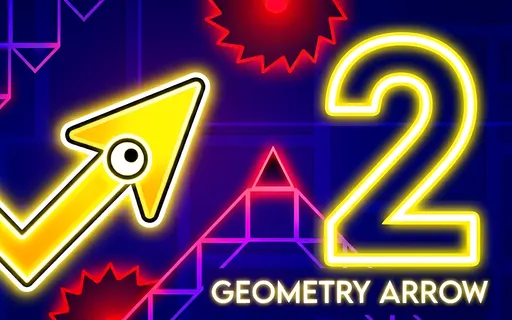
Geometry Arrow 2 is a one-button arcade skill game with a platform game layout, in which you guide a small arrow through a cave packed with obstacles. It is the sequel to the original, and it adds a second character, the Wheel, which takes over in its own sections of each level. Timing is everything: one wrong press sends you back to try again, which gives the game its “just one more go” pull. Runs launch instantly in your browser with no download. You can also change the look of the arrow and ball, the particles and the block textures. Expect lots of retries on the later stages.
How to play Geometry Arrow 2
Pick one of the 13 levels from the menu. Your job is to get through the cave alive and reach the portal at the far end. Each level mixes Arrow stretches with Wheel stretches, and you control both with a single input. Dodge the obstacles in your path; touch one and the run ends, so learn the patterns and adjust your timing.
Geometry Arrow 2 features
- 13 levels of varying difficulty.
- Two playable forms per level: the Arrow and the new Wheel.
- Custom arrow and ball skins, particles and block textures.
- Landscape layout for desktop and mobile.
- No in-game purchases.
Geometry Arrow 2 controls
- Computer: Left mouse button or Spacebar moves the arrow. Escape leaves the level.
- Phone / tablet: Touch the screen to move the arrow. Play with the device in landscape.
More games like Geometry Arrow 2
Browse more platform games and arcade games on BestGameSpot, or Keyboard Escape: +1 Speed, Minigiants Io and Mushroom Runners next.
Geometry Arrow 2 FAQ
How many levels does Geometry Arrow 2 have?
Thirteen, and they vary in difficulty. You can choose any of them from the menu, and each one combines Arrow sections with the newer Wheel sections.
What is new compared with the first game?
The sequel introduces the Wheel character and adds customization, letting you restyle the arrow and ball, swap particle effects and change block textures.
Is it a platform game or an arcade game?
It sits between the two. You travel through a level layout like a platform game, but the single-button controls and quick restarts feel very arcade.
Can I play with just one finger?
Yes. On a touch screen every movement is a touch, so one finger is all you need. On a computer, a single key or mouse button does the same job.