About Geometry Vibes X-Ball
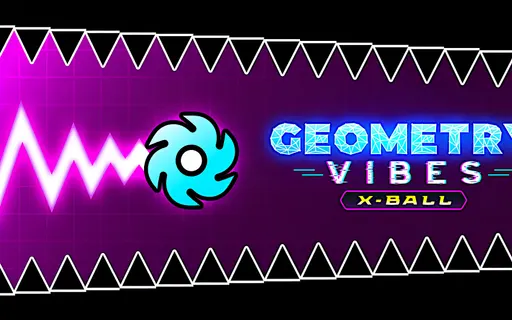
Geometry Vibes X-Ball is a one-button arcade game where you guide a ball through tight courses packed with gears, spikes and traps. Holding the button lifts you, releasing it drops you, and the whole challenge comes from timing those two moves. It follows the first game in the series with fresh levels, a challenge section and a new store. Short attempts and instant restarts make it a sharp skill game for quick sessions, and local Race mode means friends can play together on one device. All four modes cost nothing and load in your browser, so a quick run takes seconds to start.
How to play Geometry Vibes X-Ball
Each course ends in a portal, and you need to get there without touching anything. Hold the button to climb and let go to sink, threading the gaps between obstacles. Classic mode has ten levels that grow harder, with the final three being the toughest. Endless mode asks how far you can go before a crash, while Challenge mode offers five stages built for expert players. Any hit ends the attempt, so you restart and try the section again.
Geometry Vibes X-Ball features
- Classic mode with 10 levels of rising difficulty.
- Endless mode for distance runs.
- Five Challenge levels aimed at skilled players.
- Race mode where up to four people share one keyboard.
- A store to visit between runs.
- Sideways screen orientation, and nothing to buy.
Geometry Vibes X-Ball controls
- Computer: Hold the left mouse button or Space to rise and release to drop. In Race mode, extra players use H, L and the Up Arrow key.
- Phone / tablet: Touch and hold the screen to climb, then lift your finger to fall. Turn the device sideways.
More games like Geometry Vibes X-Ball
Browse more arcade games on BestGameSpot, or Geometry Arrow, Ola! Solitaire and Geometry Vibes next.
Geometry Vibes X-Ball FAQ
How many levels does Geometry Vibes X-Ball have?
Classic mode has 10 levels and Challenge mode adds 5 more. Endless mode has no finish line, so it is about setting a longer distance each time.
Can I play against friends?
Yes. Race mode supports 2, 3 or 4 players on the same computer, with the extra racers on the H, L and Up Arrow keys.
Is it too hard for beginners?
The last three Classic levels are tough, but the one-button control is easy to learn. With practice, most players can clear all ten, and Challenge mode is there for those who want more.
Does this casual game work on a phone?
It does. You just hold your finger on the screen to go up. The layout is landscape, so hold your phone sideways for the best view of the course.